






A little hello
$0
per invitation
Create and send a little surprise.
- Build your invitation in the editor
- A link valid for 24 hours from creation
- heyday branding and watermarks across the whole page
Ask them out, send a little love, bring your people together. Your way.
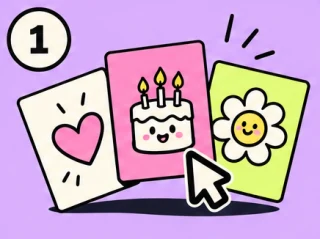
Pick a template for your occasion.
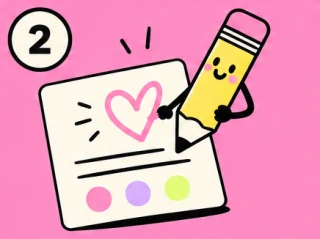
Words, colors, details — add your own touch.
Try your surprise as the recipient.
How it works
Your words. A lovely surprise from us.
A date, a birthday or just because — find your template.
Write a few warm words and choose your colors.
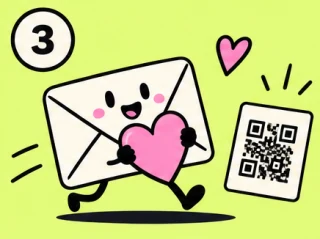
Send a link or give them a card with a QR code.
Make someone’s day a little warmer
Little possibilities
Your words, your jokes, your little surprise.
A few simple steps: pick an occasion, add your words, choose a look — done.
Your recipient picks a date and time that work for them.
Upload your own photo or GIF, add stickers and your favorite emoji.
Normal or Tricky: it dodges, shrinks and disappears after seven attempts.
Replies in your private dashboard, with optional Telegram notifications. Included in paid plans.
Their name, date and answers appear automatically in the final message.
That little personal touch
Pricing
Start for free. Add the little things that make it yours.
$0
per invitation
Create and send a little surprise.
$5
per invitation
A complete invitation, all about you.
Current price: $7.5
Previous price: $9.7
per invitation
Your personal link, plus a card you can give.
One surprise, one payment. No subscription.
Frequently asked
A few answers, then let the surprises begin.

An invitation to a date, a birthday or another occasion. Or a greeting and a little just-because surprise. Choose a template and add your words, photos or GIFs, stickers and favorite emoji.
Yes. The “A little hello” plan lets you create an invitation and share its link. The link lasts 24 hours from creation. The page includes heyday branding and watermarks across the whole screen, including your images. Paid plans remove both.
The free “A little hello” link lasts 24 hours from creation. Links on “From the heart” and “A surprise to hold” last 30 days from creation. For weddings: until the end of the 7th day after the event, capped at 180 days from publication; without a set date, 180 days. Working on a draft does not start the clock. Your private dashboard shows when a paid invitation expires.
With either paid plan, you receive two links after payment: the invitation for your recipient and a private dashboard link for you. Your dashboard shows the invitation, its expiry date, the reply and the chosen date and time. Optionally connect Telegram notifications in your dashboard.
It is a ready-to-print digital card included in “A surprise to hold”. Download it, print it and give it in person. Your recipient scans the QR code to open the invitation. The link lasts 30 days from creation. For weddings: until the end of the 7th day after the event, capped at 180 days from publication; without a set date, 180 days. Printing and physical delivery are not included.
No. Recipients open the invitation in a browser on a phone, tablet or computer. Paid plans give the creator a separate private dashboard link, with no registration or password. Save that link and keep it to yourself: it grants access to your dashboard.
Choose between Normal and Tricky in the editor. Normal accepts a decline. Tricky dodges the cursor, moves and shrinks, then disappears after seven attempts. These attempts are not recorded as an answer; only the Yes button continues the invitation.
It is a one-time payment for one invitation with the features of your chosen plan. There is no subscription or automatic renewal. You will see the plan, currency and total before paying.